
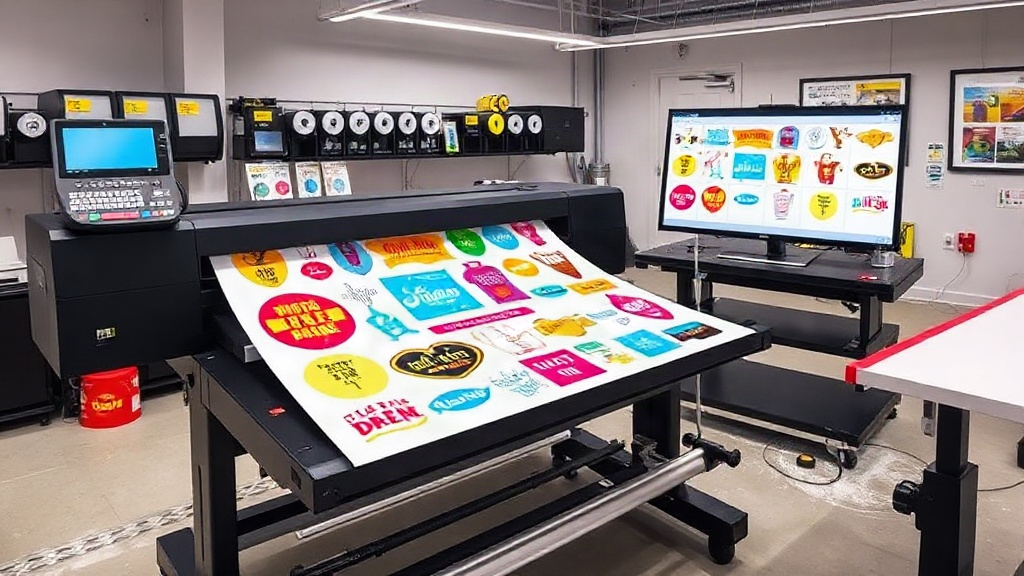
If you run a custom apparel business, you know that time is money. Every minute spent manually arranging designs on DTF film is a minute not spent growing your business. That's where a dtf gangsheet builder comes in. It's a tool that lets you combine multiple designs into a single sheet, maximizing your film usage and cutting down on production time. In this article, we'll explore how a dtf gangsheet builder works, why it's a game-changer, and how you can use it to boost your bottom line. Whether you're a seasoned pro or just starting with dtf printing, this guide will help you work smarter, not harder.
What Exactly Is a DTF Gangsheet Builder?
A dtf gangsheet builder is a software tool or online platform that allows you to arrange multiple DTF (Direct to Film) designs onto a single sheet of film. Instead of printing each design separately, you create a "gang" of designs, hence the name. This approach is not new; gang sheets have been used in screen printing and other printing methods for years. But with the rise of dtf printing, gang sheet builders have become essential for efficiency.
The builder typically provides a canvas where you can upload your designs, resize them, and arrange them to fit within the dimensions of your film. You can rotate, align, and nest designs to minimize wasted space. Some advanced builders even use algorithms to automatically optimize the layout for you. Once you're satisfied, you export the sheet as a single high-resolution file, ready for printing.
The key benefit is that you only need to go through the printing and curing process once per sheet, rather than for each individual design. This saves time, reduces film waste, and lowers ink consumption. For businesses that fulfill many small orders, this is a massive efficiency boost.
Why You Need a DTF Gangsheet Builder in Your Workflow
Let's face it: manually placing designs on a film can be tedious and error-prone. You might end up with awkward gaps, overlapping designs, or misaligned elements. A dtf gangsheet builder eliminates these issues by providing precise control and automation. Here are some compelling reasons to incorporate one into your workflow.
Save Time and Increase Throughput
Time is the most valuable resource for any print shop. With a gangsheet builder, you can prepare a full sheet of designs in minutes instead of hours. Imagine you have 20 different designs to print. Without a builder, you'd load each design individually, print, and cure. That's 20 separate cycles. With a gangsheet, you arrange all 20 on one sheet, print once, and cure once. The time savings are enormous, allowing you to take on more orders and increase your daily output.
Moreover, the builder automates the layout process, so you don't have to manually drag and drop each element. You can set the film size, and the tool will arrange your designs efficiently. This reduces the cognitive load and lets you focus on other aspects of your business.
Reduce Material Costs
DTF film and ink are not cheap. Wasting them on inefficient layouts directly eats into your profits. A dtf gangsheet builder helps you maximize the use of every inch of film. By nesting designs closely together, you minimize the blank spaces that would otherwise be wasted. Over time, this translates to significant savings on film and ink.
Additionally, because you're printing fewer sheets, you're also using less powder and energy for curing. The cumulative effect on your operational costs is substantial. For a small business, these savings can be reinvested into marketing or new equipment.
Improve Print Quality and Consistency
When you print designs individually, there's a risk of inconsistency in color, alignment, and curing. With a gangsheet, all designs on the sheet go through the same printing and curing process simultaneously. This ensures consistent quality across the board. If there's an issue with the print, you'll catch it on the entire sheet, not just one design, allowing you to adjust settings before wasting more materials.
Furthermore, the builder ensures that each design is placed with precise spacing, preventing overlapping or cutting too close to the edge. This attention to detail results in cleaner transfers and happier customers.
Scale Your Business Efficiently
As your business grows, so does the volume of orders. A dtf gangsheet builder is scalable; you can create larger sheets with more designs as your capacity increases. This means you can handle bulk orders without hiring additional staff or investing in more printers. It's a cost-effective way to expand your production capacity without proportional increases in labor and overhead.
Many builders also allow you to save templates and presets, so you can quickly replicate common layouts. This is especially useful if you frequently print similar items, like team jerseys or promotional merchandise.
How to Choose the Right DTF Gangsheet Builder
Not all gangsheet builders are created equal. When selecting a tool, consider the following factors to ensure it meets your needs.
Ease of Use
The best builder is one that you can learn quickly and use intuitively. Look for a clean interface with drag-and-drop functionality, clear controls, and helpful tutorials. If it takes hours to figure out, it's not saving you time.
Compatibility and File Support
Ensure the builder supports the file formats you commonly use, such as PNG, PDF, or AI. It should also be compatible with your DTF printer's RIP software. Some builders export directly to a format that your printer can read, while others may require an extra step.
Automation Features
Advanced builders offer auto-nesting, which automatically arranges designs for optimal film usage. This is a huge time-saver, especially for complex layouts. Other useful features include the ability to set bleed lines, add registration marks, and duplicate designs with a single click.
Cost and Licensing
Some builders are free, while others require a subscription or one-time purchase. Consider your budget and the value you'll get. A paid tool with robust features might be worth it if it saves you hours each week. Also, check if there are any limitations on the number of designs or sheet sizes.
Step-by-Step: Using a DTF Gangsheet Builder for Maximum Efficiency
Ready to give it a try? Here's a simple process to follow.
- Prepare your designs: Make sure each design is in a high-resolution format with a transparent background. Clean up any stray pixels or artifacts.
- Set your sheet size: Determine the dimensions of your DTF film roll. Common widths are 13, 17, and 24 inches, but lengths can vary. Enter these into the builder.
- Upload and arrange: Import your designs into the builder. Use the auto-arrange feature if available, or manually place them. Rotate and resize as needed to fill gaps.
- Check spacing: Ensure there's enough space between designs to allow for cutting. A general rule is 0.25 inches between designs, but check your printer's guidelines.
- Export and print: Once satisfied, export the gangsheet as a single file. Send it to your DTF printer and print as usual.
- Cure and press: After printing, apply powder and cure the entire sheet. Then cut out individual transfers and press onto garments.
Following these steps will help you get the most out of your builder and streamline your production.
Common Mistakes to Avoid with DTF Gangsheets
Even with a builder, some pitfalls can reduce your efficiency. Watch out for these:
- Overcrowding: Packing designs too tightly can cause them to bleed into each other or make cutting difficult. Leave adequate space.
- Inconsistent design sizes: Mixing very large and very small designs can lead to wasted space. Try to group similar sizes together.
- Forgetting about grain direction: DTF film may have a grain, and designs should be oriented consistently for best results.
- Ignoring color profiles: Ensure your designs are in the correct color mode (usually CMYK) and that your printer settings match.
By avoiding these mistakes, you'll achieve better results and less waste.
Frequently Asked Questions
What is a DTF gangsheet builder?
A dtf gangsheet builder is a software tool that helps you arrange multiple DTF designs onto a single sheet of film to optimize printing efficiency and reduce waste.
Can I use a gangsheet builder for free?
Yes, some free options exist, but they may have limited features. Paid builders often offer more automation and better support.
How much time can I save with a gangsheet builder?
Depending on the number of designs, you can save hours per week. For example, printing 20 designs individually might take 2 hours, but with a gangsheet, it could take 30 minutes.
Is a gangsheet builder compatible with all DTF printers?
Most builders export standard file formats that are compatible with common DTF printers. However, always check the specifications of your printer and RIP software.
Do I need special software to create gangsheets?
While you can manually create gangsheets in graphic design software like Photoshop or Illustrator, dedicated dtf gangsheet builder tools are more efficient and user-friendly.